Your agent
Verification statuses
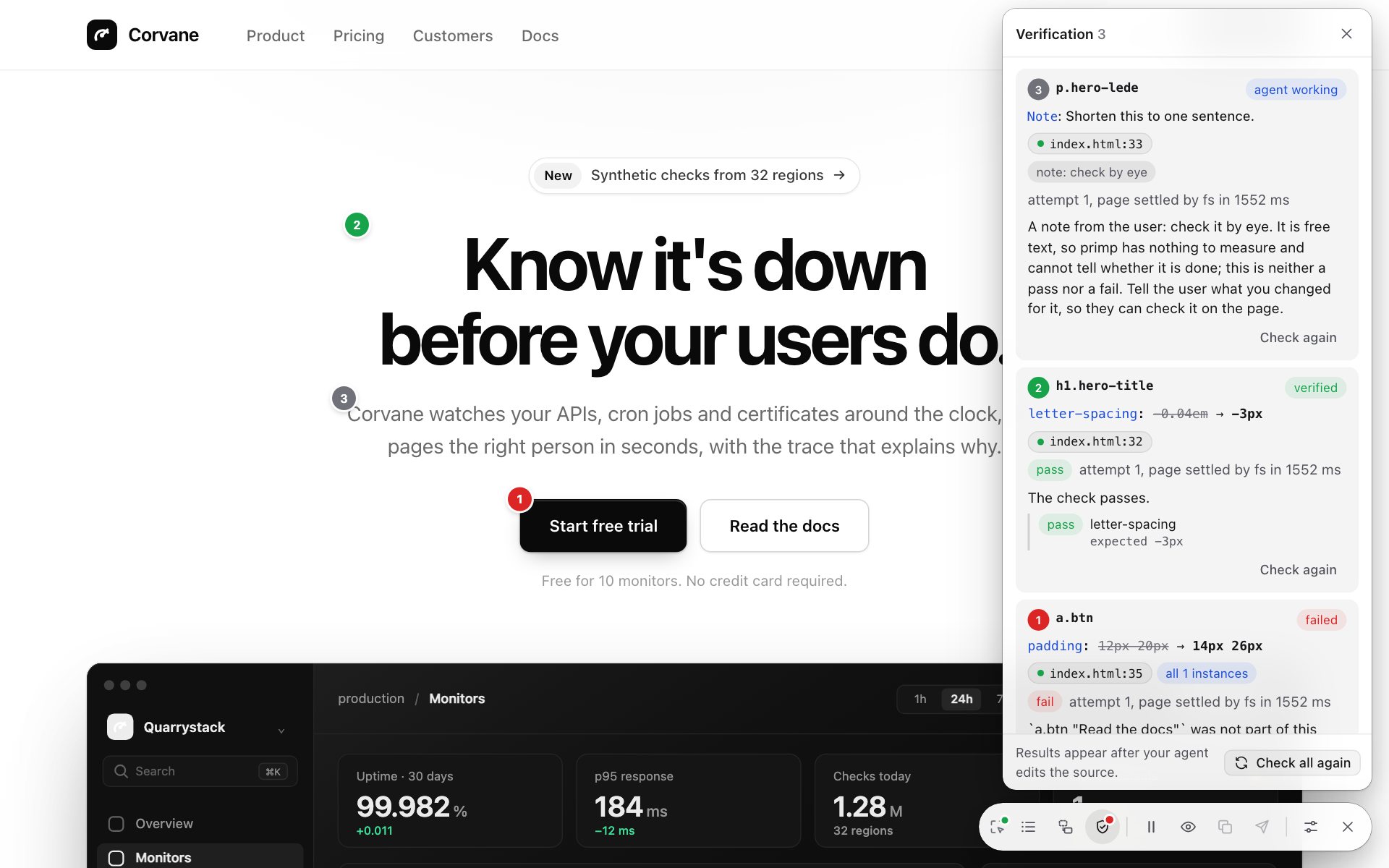
pass, drift, fail and the statuses that mean primp could not measure. None of the latter counts as success.
A change only passes when the page was measured and the value is there. Everything else has a status of its own.
| What happened | What primp reports |
|---|---|
| The value is the one you asked for | pass |
| It landed close, such as the nearest design token | drift |
| It is something else, or unchanged | fail, with expected and actual |
| An element you did not touch changed with it | fail, naming that element |
| The build is broken | build_error, with the message |
| No source file changed | no_update_observed |
| The element cannot be found again | unresolved |
| The viewport is outside the change's media query, or the state cannot be emulated | not_measurable |
| The change is a note: there is nothing to measure, a person checks it | not_checkable |
| The tab is in the background, or closed | tab_hidden no_browser |
None of no_update_observed, unresolved, not_measurable, not_checkable, tab_hidden and no_browser is counted as success.
How a change is checked#
When you record a change, primp derives the checks that must hold once the source matches: the computed value of each property you changed (a shorthand such as padding becomes its longhands), the values of the bystanders, and "must not move" for each side effect you marked unwanted.
To verify, primp waits for the dev server to apply the edit and for the page to be quiet, switches its previews off so it sees only what your source produces, measures in your tab and judges each check.
- Values are compared as computed values, so
1remand16pxagree. - States are measured with the state emulated, not at rest.
- Reorders are checked by the order of the elements in the page.
- Resizes are width and height changes, checked like any other.
- Notes have nothing to measure: they are reported as
not_checkable, for you to check by eye. - Static HTML has no hot reload; primp reloads the page before measuring.
Drift#
drift means the value landed close to the one you asked for, as happens when the agent used the nearest design token instead of a literal. The agent is told to keep it only if that was intended, and to say so. You decide whether it is right.
Fail#
A fail comes with expected and actual values, and a hint. When an element you did not touch changed with the change, the hint names it and says why, for example that a shared rule was edited in place. The agent gets the same text as a fix-up.